

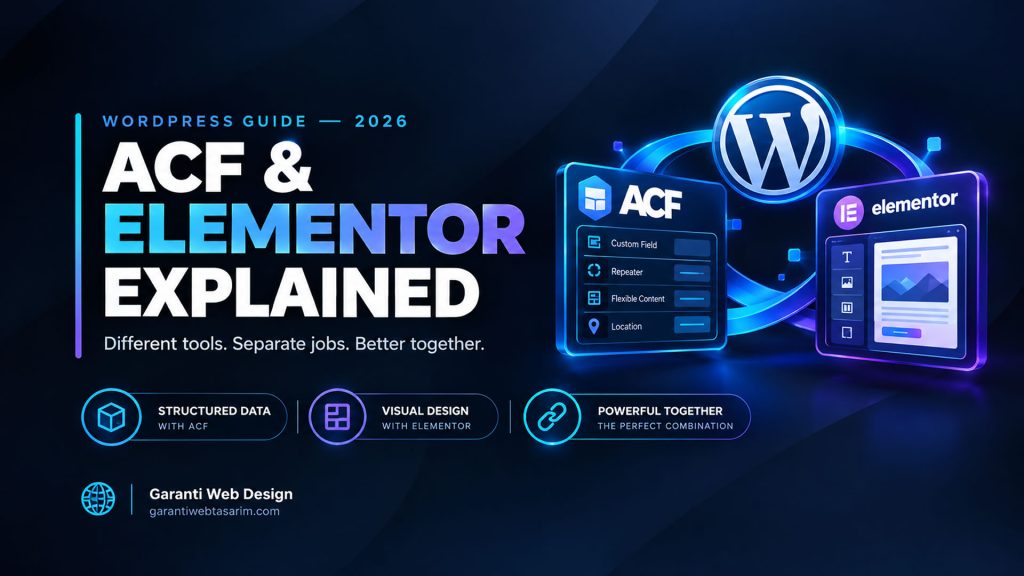
ACF and Elementor are two of the most widely used tools in WordPress, and they are often discussed as if they compete. They don’t, really. They solve different problems, and the confusion usually comes from the fact that both let you build custom layouts without writing much code. Understanding what each one actually is, rather than which is better, is the fastest way to make the right choice for your project.
This guide explains what ACF and Elementor do, how they differ in practice, when each is the better fit, and when you might use them together.
The Short Answer
Advanced Custom Fields (ACF) is a tool for adding structured, custom content fields to WordPress and displaying that data through your theme’s code. It gives developers control over exactly what content is stored and how it’s output. It has no visual drag-and-drop editor of its own.
Elementor is a visual, drag-and-drop page builder. It lets you design pages directly in the browser by placing and styling elements, with no code required. It’s built for people who want to control layout visually.
Put simply: ACF manages data; Elementor manages design. If you need clean, structured content controlled in code, ACF fits. If you need to visually lay out a page without a developer, Elementor fits. Many professional sites use both, ACF for the data layer and Elementor for the visual layer.
What ACF Actually Does
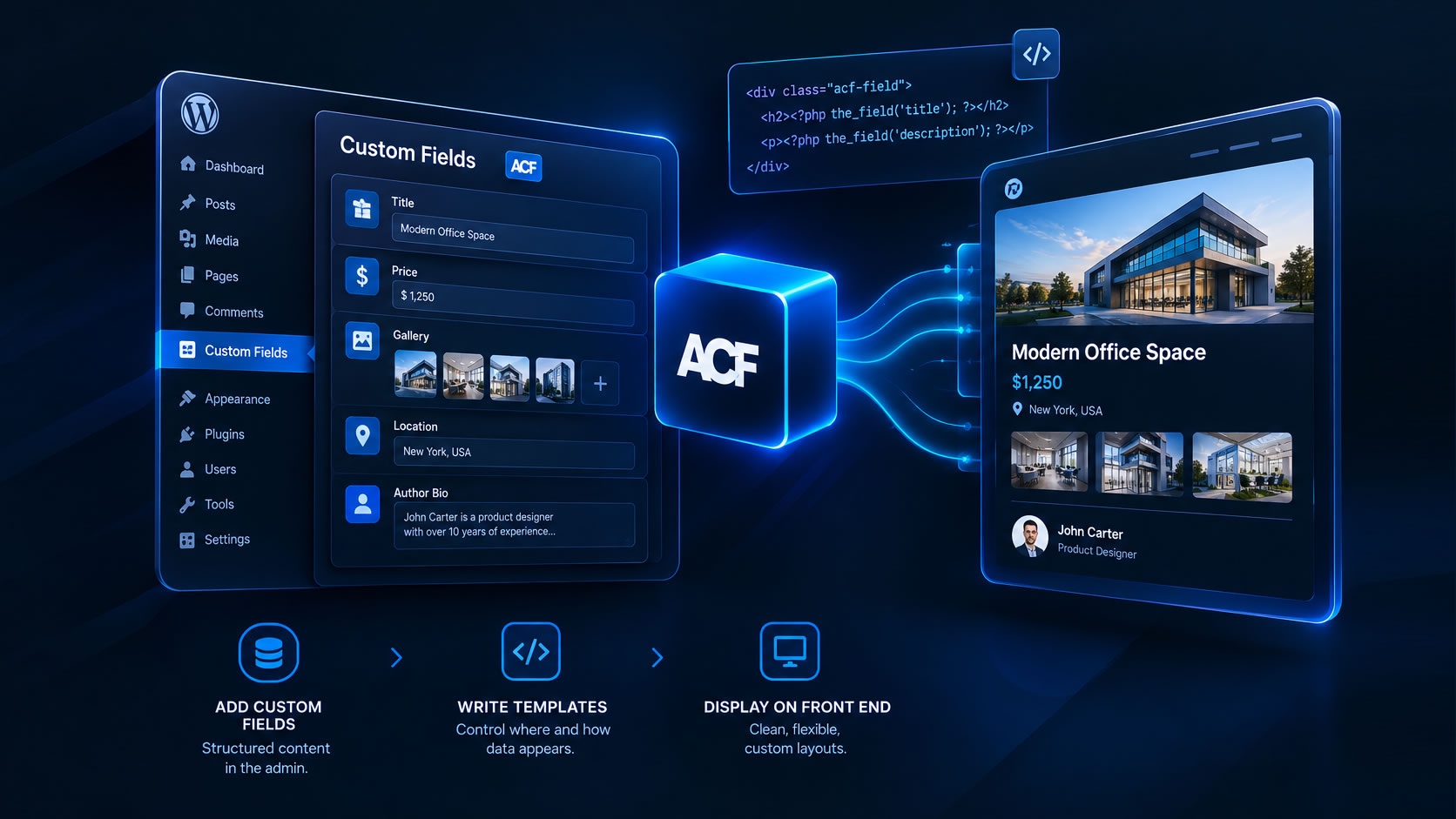
ACF adds custom fields to your WordPress editing screens. Instead of dumping everything into one content box, you define specific fields, for example, a Price, an Author bio, a Gallery, or a Location, and each gets its own input in the admin.
The developer then writes template code that decides where and how that data appears on the front end. This is the key point: with ACF, the content is separated from the presentation. An editor fills in fields; the theme decides how they look.
ACF is strong when you need:
- Structured, repeatable content (product specs, team members, listings, FAQs).
- Content that editors can update safely without touching design.
- Clean, lightweight HTML output with no builder overhead.
- Full control over markup, which helps performance and SEO.
- Consistency across many pages or posts of the same type.
ACF’s trade-off: it requires a developer to build the templates. On its own, ACF doesn’t give a non-technical user a way to visually design a page. The output is only as good as the code written around it.
What Elementor Actually Does

Elementor replaces the standard WordPress editor with a visual canvas. You drag elements (headings, images, buttons, columns, sliders) onto the page and style them with panels, seeing changes live. No template code is required.
Elementor is strong when you need:
- To build and edit pages visually, without a developer.
- Fast prototyping or frequent layout changes by non-technical users.
- A wide library of pre-built blocks and widgets.
- One-off landing pages where design flexibility matters more than structure.
Elementor’s trade-offs: page builders add extra HTML, CSS, and JavaScript to render their layouts. This can affect page speed and Core Web Vitals if not managed carefully. Content built inside Elementor is also more tightly coupled to the builder, meaning it’s harder to migrate away later, and structured data is less cleanly separated from design.
ACF vs Elementor: Side by Side
When to Choose ACF
Choose ACF when your content is structured and repeated, and when performance and long-term maintainability matter. Typical cases:
- A directory, catalog, or listing where every item shares the same fields.
- A theme built for a specific industry, where editors should fill in content without breaking the design.
- A content-heavy site where clean markup and fast loading are priorities.
- Any project where you want the content to outlive the current design, so you can redesign later without re-entering everything.
ACF is the professional’s choice when the goal is a fast, structured, maintainable site, and a developer is building it.
When to Choose Elementor
Choose Elementor when visual control by non-developers is the priority. Typical cases:
- A small business owner who wants to edit their own pages without hiring help.
- Marketing landing pages that change often and need quick visual iteration.
- Projects with no developer available and a need to get a custom-looking page live fast.
- Sites where design flexibility on individual pages matters more than strict structure.
Elementor is the right tool when the person maintaining the site needs to see what they’re building and change it themselves.
When to Use Both Together
On many professional builds, ACF and Elementor aren’t rivals, they’re layers. A common pattern:
- ACF stores the structured data (for example, a property’s price, beds, location, and gallery).
- Elementor (often via ACF’s dynamic-content integration) pulls that data into a visually designed template.
This gives editors clean, structured fields to fill in and a visual layout that non-developers can adjust. It combines ACF’s data discipline with Elementor’s design freedom. The trade-off is a slightly heavier stack, so it’s worth keeping performance in check.
A Note on Performance and SEO
For search rankings and Core Web Vitals, the cleanest possible HTML wins. ACF-based themes, where a developer controls the markup, tend to produce leaner output than page builders, which add wrapper elements and extra assets. This doesn’t mean Elementor can’t rank, well-optimized Elementor sites do, but it does mean performance requires active attention: caching, asset optimization, and removing unused CSS and JavaScript.
If raw speed and technical SEO are your top priorities, a hand-coded or ACF-driven theme has an edge. If speed of editing and visual control matter more, Elementor’s convenience can be worth the extra optimization work.
Frequently Asked Questions
Is ACF a page builder? No. ACF adds and manages custom content fields; it has no visual drag-and-drop editor. A developer decides how the fields are displayed through theme code.
Is Elementor bad for SEO? Not inherently. Elementor sites can rank well, but the extra markup and assets a builder adds mean performance needs active optimization (caching, unused-CSS removal, image optimization) to keep Core Web Vitals healthy.
Can I use ACF and Elementor together? Yes. A common professional setup stores structured content in ACF and displays it inside Elementor templates using dynamic content, combining clean data with visual design.
Which is faster, ACF or Elementor? ACF-based themes generally produce lighter HTML because a developer controls the output, which tends to load faster. Elementor adds more markup and assets, so it needs more optimization to match that speed.
Do I need to know how to code to use ACF? To display ACF fields, yes, ACF needs template code (or a builder integration). Filling in ACF fields, once they’re set up, requires no coding at all.
The Bottom Line
ACF and Elementor answer different questions. ACF asks, How should content be structured and controlled? Elementor asks, How should this page be designed, visually, by hand? A structured, performance-focused site leans ACF; a self-managed, visually flexible site leans Elementor; and many strong builds use both, ACF for the data, Elementor for the design.
Choose based on who will maintain the site and what matters most: structure and speed, or visual control. There’s no universal winner, only the right fit for the project.
This guide was written by the team at Garanti Web Design, who build custom WordPress and WooCommerce themes. If you’d like help deciding on the right setup for a specific project, or want a theme built the right way from the start, you can reach us through our services page.

Join the Conversation